

Last updated 5 months ago. Our resources are updated regularly but please keep in mind that links, programs, policies, and contact information do change.
Lost your Social Security card? Here’s how to replace it.
Step 1: Finding the Official Source: Navigating the Social Security Administration Website
When seeking information about your Social Security card, rely on the official Social Security Administration website. This ensures you receive accurate information and avoid potential scams.
- Step 1: Finding the Official Source: Navigating the Social Security Administration Website
- Method 1: Replacing Your Card Online
- Method 2: Replacing Your Card by Mail
- Method 3: Replacing Your Card in Person
- The Essential Paperwork: Documents Required for Your Application
- Required Documents for Social Security Card Replacement
- Replacement Limits: What You Need to Know Before Applying
- Name Changes and More: Updating Your Social Security Card
- Your Questions Answered: Frequently Asked Questions
- Keeping Your Card Secure: Tips to Protect Your Social Security Number
- Conclusion: Getting Your New Card and Staying Safe
The official SSA website serves as a comprehensive resource, offering a wide range of online services. One of the most valuable tools is the “my Social Security” portal, a secure platform that allows you to manage various Social Security-related tasks, including requesting a replacement card.
Users need to create an account or sign in to access these personalized services. For Social Security-specific inquiries, the primary destination should be the official SSA website.
The USAGov portal also serves as a reliable source that can direct you to official Social Security Administration information.
Method 1: Replacing Your Card Online
For many individuals, requesting a replacement Social Security card online offers the most convenient approach.
Can You Apply Online? Eligibility Requirements
To be eligible to replace your Social Security card online, you must:
- Have or create a “my Social Security” account on the SSA website
- Be a U.S. citizen aged 18 or older
- Have a valid U.S. mailing address (including APO, FPO, and DPO addresses for military personnel)
- Not need to make any changes to your card, such as a name change or corrections
- Possess a valid U.S. driver’s license or state-issued identification card from a participating state or the District of Columbia
The SSA has partnerships with state Departments of Motor Vehicles to facilitate online identity verification. Even if you aren’t eligible to complete the entire process online, you might still be able to begin your application online and then schedule an in-person appointment to finalize the process.
Your Step-by-Step Guide to Requesting a Replacement Online
If you meet the eligibility requirements, follow these steps to request a replacement card online:
- Create an Account or Sign In: Navigate to the “my Social Security” portal. If you don’t have an account, create one by providing your personal information and answering security questions. If you already have an account, sign in with your username and password.
- Navigate to Services: Once logged in, look for the section that allows you to manage your benefits and services. Find and select the option labeled “Replace your Social Security Card” or similar wording.
- Verify Your Identity: You may need to undergo a multi-factor authentication process. This might involve receiving a code via text message or email.
- Provide Required Information: You’ll need to provide information to confirm your identity, including your name, date of birth, and Social Security number.
- Review and Submit Your Request: Review all information for accuracy before submitting your request.
- Check Application Status: Use your “my Social Security” account to check the status of your application.
If you created your Social Security username more than three years ago, you might need to transition to a new or existing Login.gov or ID.me account to maintain continuous access to the SSA’s online services.
Method 2: Replacing Your Card by Mail
Can’t apply online? Mail your application instead.
Is Applying by Mail Right for You?
Applying by mail is a good option for those who cannot use the online service. It allows you to submit your application and required documents without visiting a Social Security office in person.
The Process: Completing the Application and Gathering Documents
To apply for a replacement card by mail:
- Download and Complete Form SS-5: Visit the SSA website and download the Application for a Social Security Card (Form SS-5). Complete all sections legibly using black or blue ink.
- Gather Required Documents: Gather original documents or certified copies that prove your identity, U.S. citizenship (if applicable), and age.
- Mail the Application and Documents: Send them to the address specified on Form SS-5 or the address provided on the SSA website for your state.
Important Note on Mailing Original Documents
SSA only accepts original documents or certified copies – no photocopies or notarized copies.
While the SSA will return any documents you send, it’s generally advisable to avoid mailing irreplaceable original documents. Consider using the in-person application method if you’re uncomfortable mailing sensitive documents.
Method 3: Replacing Your Card in Person
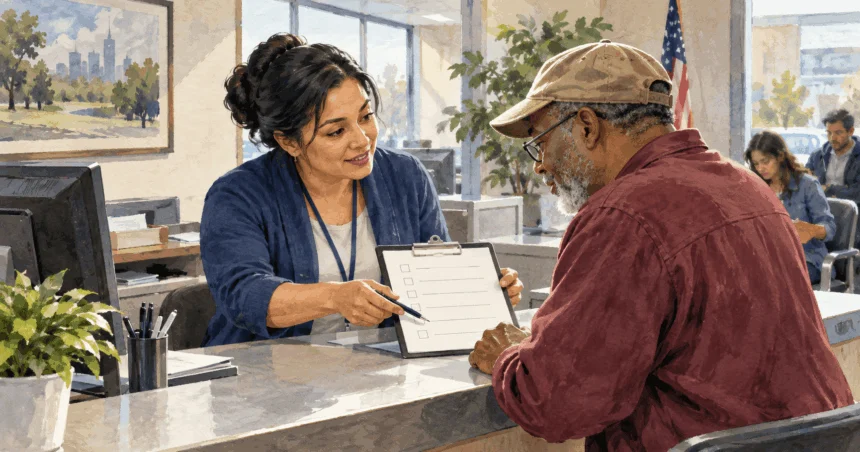
In certain situations, or if you prefer face-to-face interaction, you can apply for a replacement card in person at a local Social Security office.
When an Office Visit is Necessary or Preferred
You must visit an office if: you can’t apply online and don’t want to mail documents, or you’re 12+ getting your first card.”
Some people simply prefer direct interaction and assistance, especially with complex circumstances or when clarification on required documentation is needed.
Scheduling an Appointment: What You Need to Know
The Social Security Administration strongly recommends scheduling an appointment before visiting a local office. This helps manage office traffic, reduce wait times, and ensure a representative is available.
You can schedule an appointment through the SSA website or by calling their toll-free number at 1-800-772-1213. The SSA’s office locator tool can help you find the nearest office based on your zip code.
Before visiting, check the SSA website for information on office closures. Starting your application online before your visit can save time during your in-person appointment.
What to Expect at Your Local Social Security Office
When visiting your local Social Security office, bring your completed Application for a Social Security Card (Form SS-5) and all required original documents or certified copies that prove your identity, age, and U.S. citizenship or lawful alien status.
They’ll review your documents and answer questions. Your card arrives by mail in 7-10 business days – they don’t hand it to you at the office.
The Essential Paperwork: Documents Required for Your Application
Regardless of your application method, you’ll need to provide specific documents to support your application. The exact requirements depend on your citizenship status.
Proof of Identity: Acceptable Documents
To prove your identity, the SSA requires current, unexpired documentation showing your legal name, identifying information (date of birth or age), and preferably a recent photograph.
Primary forms of identification include:
- Valid U.S. driver’s license
- State-issued non-driver identification card
- U.S. passport
Secondary forms of identification (if primary documents aren’t available) include:
- Employee identification card
- School identification card
- Health insurance card (excluding Medicare)
- U.S. military identification card
For young children, the SSA may accept medical records, a final adoption decree, or a school identity card.
Proof of Age: What You Can Use
Generally, the primary document to prove your age is your U.S. birth certificate. If unavailable, the SSA may accept:
- U.S. hospital record of your birth (created at the time of birth)
- Religious record established before age five showing your date of birth
- U.S. passport
- Final adoption decree that includes birth information
Proof of U.S. Citizenship or Lawful Alien Status
If born in the United States, your U.S. birth certificate or passport typically serves as proof of both age and citizenship. Other acceptable documents include:
- Certificate of Citizenship (N-560/N-561)
- Certificate of Naturalization (N-550/N-570)
- Consular Report of Birth Abroad (FS-240, CRBA)
- Certificate of Report of Birth (DS-1350)
Non-U.S. citizens must provide current, unexpired documents issued by the Department of Homeland Security showing immigration status and work authorization (if applicable). Acceptable documents include:
- Form I-551 (Permanent Resident Card/Green Card)
- Form I-94 (Arrival/Departure Record with unexpired foreign passport)
- Form I-766 (Employment Authorization Document/work permit)
International students or exchange visitors may need additional documentation.
Required Documents for Social Security Card Replacement
The following table summarizes typical documents required for replacing a Social Security card based on citizenship and application method:
| Requirement | Online | Mail/In Person (U.S. Citizen) | Mail/In Person (Non-U.S. Citizen with Work Authorization) | Mail/In Person (Non-U.S. Citizen without Work Authorization) |
|---|---|---|---|---|
| Proof of Identity | U.S. Driver’s License or State ID (from participating state) | U.S. Driver’s License, State ID, U.S. Passport, Employee ID, School ID, Health Insurance Card, U.S. Military ID | Form I-551 (Green Card), Form I-94 with unexpired foreign passport, Form I-766 (EAD), unexpired foreign passport with admission stamp | Form I-94 with unexpired foreign passport, unexpired foreign passport with admission stamp, or other DHS document showing lawful status |
| Proof of Age | Information provided during account creation | U.S. Birth Certificate (preferred), U.S. Hospital Record of Birth, Religious Record before age 5, U.S. Passport, Final Adoption Decree | U.S. Birth Certificate (if available), Foreign Birth Certificate, U.S. Passport, other acceptable documents | U.S. Birth Certificate (if available), Foreign Birth Certificate, U.S. Passport, other acceptable documents |
| Proof of Citizenship/Status | U.S. Citizenship confirmed during account creation | U.S. Birth Certificate, U.S. Passport, Certificate of Citizenship, Certificate of Naturalization, Consular Report of Birth Abroad | Form I-551 (Green Card), Form I-94 with unexpired foreign passport, Form I-766 (EAD) | Form I-94 with unexpired foreign passport, unexpired foreign passport with admission stamp, or other DHS document showing lawful status |
Important Note: For mail and in-person applications, only original documents or copies certified by the issuing agency are accepted.
Replacement Limits: What You Need to Know Before Applying
The Social Security Administration has established limits on the number of replacement cards an individual can receive:
- No more than three replacement cards in a calendar year
- Maximum of ten replacement cards throughout your lifetime
These limits protect the integrity of the Social Security system and discourage misuse. The SSA may allow exceptions in compelling circumstances on a case-by-case basis.
Replacement cards issued to reflect legal name changes or work authorization changes don’t count toward these limits. These limitations underscore the importance of taking good care of your Social Security card.
Name Changes and More: Updating Your Social Security Card
If you’ve legally changed your name due to marriage, divorce, court order, or need to correct biographical information, you’ll need to inform the SSA and obtain a replacement card.
In most cases, you cannot change your name or correct information online. To update your card:
- Complete the Application for a Social Security Card (Form SS-5)
- Provide original documents or certified copies proving your identity, citizenship/legal status, and the legal name change or information correction
For a name change, acceptable documents include:
- Marriage certificate
- Divorce decree
- Certificate of naturalization showing your new name
- Court order for the name change
You may also need documents showing both your old and new names. Your updated card will display your new legal name but retain the same Social Security number.
While updating your card typically requires applying by mail or in person, you may be able to start online and complete the process at a local office.
Your Questions Answered: Frequently Asked Questions
Is there a fee to replace my Social Security card?
No, there is no charge to replace your Social Security card.
Do I always need a physical Social Security card?
In many cases, simply knowing your Social Security number is sufficient. You may not need the physical card for everyday transactions.
How long does it take to receive a replacement card?
You should receive your replacement card within 7-10 business days for online or in-person applications. Mail applications may take 2-4 weeks due to processing and mailing time.
What should I do if my Social Security card is stolen?
Report it to the Federal Trade Commission (FTC) immediately to help prevent identity theft.
How can I contact the Social Security Administration for help?
Call their toll-free number at 1-800-772-1213 (TTY 1-800-325-0778), visit www.ssa.gov, or visit a local Social Security office (appointment recommended).
How do I replace a Social Security card for a child?
The process is similar to that for adults. You’ll need documentation proving the child’s identity, age, and citizenship or lawful alien status.
Can I get a replacement card the same day I apply?
Generally, same-day replacement isn’t possible. Your new card will be mailed to you after your application is processed.
What if I need to replace my card while living outside the United States?
Contact the nearest U.S. embassy or consulate or the Federal Benefits Unit in your country.
Keeping Your Card Secure: Tips to Protect Your Social Security Number
Once you receive your replacement card, take these steps to keep it safe:
- Keep Your Card in a Safe Place: Store it in a secure location at home, such as a locked box with other important documents. Avoid carrying it in your wallet or purse unless necessary.
- Do Not Share Your SSN Indiscriminately: Be cautious about sharing your Social Security number. Never give it out over the phone or online unless you’re certain of the recipient’s legitimacy.
- Be Cautious with the Last Four Digits: Even the last four digits of your SSN can be valuable to identity thieves.
- Shred Documents: Before discarding documents containing your Social Security number, shred them thoroughly.
- Monitor Your Accounts: Consider creating a “my Social Security” account to monitor your earnings record and benefits information.
- Consider Locking Your SSN: To protect your SSN, you can take two actions: (1) Contact SSA at 1-800-772-1213 to block electronic access to your SSA records, and (2) Create a myE-Verify account to place a Self Lock that prevents your SSN from being used in the E-Verify employment verification system. The Self Lock lasts for 1 year and can be renewed.
Conclusion: Getting Your New Card and Staying Safe
Replacing your Social Security card is manageable when you understand the available methods and required documentation. Whether you choose online application, mail, or in-person visit, the Social Security Administration provides resources for each step.
Always rely on the official SSA website for accurate information and protect your personal information throughout the process. Once you receive your new card, take proactive steps to safeguard it and your Social Security number to prevent identity theft and ensure continued access to important services.