

Last updated 5 months ago. Our resources are updated regularly but please keep in mind that links, programs, policies, and contact information do change.
Several factors can contribute to a USPS tracking status failing to update. While it’s easy to assume the worst, often the reasons are logistical or technical and don’t necessarily indicate a lost package.
Technical Issues
USPS servers sometimes go down or encounter issues while updating their tracking database. Similarly, scanners occasionally glitch, leading to a temporary halt in recording a package’s journey.
System outages within the USPS network can disrupt the flow of tracking data, preventing updates from reaching users. The tracking system relies on consistent data transmission at numerous locations, meaning a problem in one area can affect information visibility across the entire network.
Human Factors
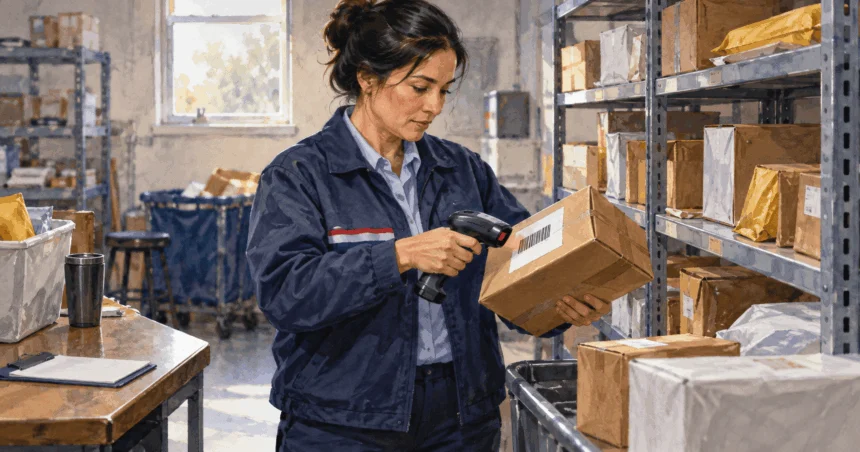
Despite increasing automation, package handling still involves hands-on roles. During sorting and processing, postal workers sometimes miss a scan, particularly during high-volume periods when the focus is on keeping things moving.
The physical condition of the shipping label can affect whether the scanner reads it. If the barcode is damaged due to tears or smudges, or if the printing is too light or blurry, the scanner might fail to register the package’s movement. While manual entry is possible, manual entry often gets skipped.
Volume and Capacity
The sheer volume of mail handled by USPS, especially during peak seasons like holidays, can lead to delays in tracking updates. The influx of packages can overwhelm sorting facilities, creating backlogs in processing. These bottlenecks slow down the entire process, including scanning packages and updating tracking status.
Unexpected surges in volume or operational problems, such as staffing shortages or equipment malfunctions, further exacerbate these delays. A disruption affecting one piece of mail can indirectly impact the tracking status of other packages.
Weather and External Factors
Inclement weather conditions, from heavy snow and ice storms to severe rain, floods, tornadoes, hurricanes, and extreme heat, can disrupt transportation networks across the country. Flight cancellations, road closures, and other logistical challenges caused by weather lead to delays in package transit and tracking updates.
A package traveling across the country might encounter adverse weather conditions in regions far from its origin or destination. Additionally, severe weather can damage shipping labels, rendering them unscannable.
Pre-Shipment Status
Sometimes, the package might not have been shipped yet. A sender can create a shipping label and receive a tracking number but not physically hand the package over to USPS. In such instances, the tracking status will remain in “Pre-Shipment” until the package is scanned by USPS for the first time.
This is common with online purchases, where a seller might mark an item as “shipped” before it has entered the postal system. If tracking information remains in the pre-shipment stage, verify with the sender about the actual mailing date.
Other Common Issues
- Incorrect Tracking Number: Double-check the number against the shipping receipt or confirmation email.
- Label Damage: If the barcode is torn, smudged, or damaged, USPS equipment might be unable to read it.
- Already Delivered: The package may have been delivered, but the final delivery scan was missed. Check surroundings and with neighbors before assuming a delay.
Understanding USPS Package Processing Stages
Here’s how a typical USPS package moves through the system:
Pre-Shipment
The sender has created a shipping label and a tracking number has been assigned, but USPS hasn’t received the package. No tracking updates will be available until USPS takes possession of the item and scans the label.
Acceptance
Once the package is in USPS custody and the shipping label is scanned at the originating post office or facility, the status changes to Acceptance. This initial scan marks the official entry of the package into the USPS system.
In Transit
During this phase, the package moves through the USPS network, traveling between sorting facilities, hubs, or towards the destination post office. Updates typically occur when the package arrives at and departs from major sorting centers or distribution points.
Updates might not be continuous during physical transportation between facilities. The “In Transit” status can persist for several days, especially for packages traveling long distances.
USPS Facilities
These facilities are sorting centers, regional hubs, and ultimately, the destination post office. Each time the package arrives at one of these locations, a tracking scan usually occurs. Multiple “Arrived at USPS Facility” scans at different locations are common as the package makes its way towards its final destination.
Out for Delivery
This status signifies that the package has arrived at the local post office and has been loaded onto a carrier’s vehicle for delivery that day. This is a strong indicator that the package is very close to its destination.
Delivered
This confirms that the package has successfully reached the address on the shipping label. The tracking information should include the date and time of delivery.
What You Can Do: Practical Troubleshooting Steps
When faced with a USPS tracking status that isn’t updating, try these practical steps:
Verify Your Tracking Number
Double-check that you’ve entered the number correctly, paying close attention to all digits and characters. Verify against your shipping receipt, confirmation email, or the physical shipping label.
Be Patient
USPS tracking typically updates within 24 to 48 hours of a scan. If the estimated delivery date has just passed, waiting another 24 hours might help. For packages traveling longer distances, updates might be less frequent as they move between major processing hubs.
Check All Delivery Locations
If the tracking status shows “Delivered” but you haven’t received your package, check your property thoroughly. Look in common delivery spots such as your porch, mailbox, garage, and around exterior doors. Packages might be placed in areas protected from weather or hidden from street view.
Check with household members or neighbors to see if they received it. Remember that packages might arrive separately from regular mail or later in the day.
Contact the Sender
Verify with the sender that they have the correct tracking number and ask if they have additional details about the shipment or if they’ve experienced any issues. If you don’t have the tracking number, the sender is the first point of contact to obtain it.
Use Text Tracking
USPS offers a text tracking service. Send a text message with your tracking number to 2USPS (28777) to receive updates. You can also use keywords like “Delivery,” “Date,” “Update,” or “Alert” to request specific information.
Contact USPS Customer Service
If tracking remains stagnant or you have concerns, contact USPS Customer Service at 1-800-ASK-USPS (1-800-275-8777) or visit the official USPS website for online help options. Have your tracking number and relevant package details ready.
Visit Your Local Post Office
A visit to your local post office can sometimes yield more localized information, especially if tracking indicates the package has arrived at that facility. Postal staff might have firsthand knowledge of delays or issues affecting deliveries in your area.
File a Missing Mail Search Request
If your package hasn’t arrived at least 7 business days after the mailing date, you can file a Missing Mail Search Request on the USPS website. This prompts USPS to conduct an internal search for your package. You’ll need to provide detailed information about the sender, recipient, package contents, and the tracking number.
Alternative Ways to Get Information About Your Package
Beyond the standard tracking website, USPS offers other ways to obtain information:
USPS Informed Delivery
This free service allows you to digitally preview your incoming mail and provides tracking information for your packages. By signing up, you receive daily emails with images of mail being delivered to your address and automatic updates on tracked packages.
Direct Contact Methods
- Phone: Call 1-800-ASK-USPS for general assistance
- Email: The USPS website offers an online form for inquiries
- Technical Support: For website or online service issues, call 1-800-344-7779
When to Escalate to USPS Customer Service
Contact USPS customer service when:
- No tracking updates for at least five business days
- Package hasn’t moved within a day after expected delivery date
- Tracking status remains in “Pre-Shipment” for an unusually long time
- Last update was “Out for Delivery” many hours or a day ago without subsequent “Delivered” status
- Tracking information has discrepancies across different platforms
- Package appears to have departed a facility but never arrives at the next expected location
Establish a reasonable waiting period based on the mail class and expected delivery timeframe before contacting USPS, but certain tracking patterns or prolonged inactivity indicate further investigation might be necessary.
Understanding Common USPS Tracking Terms
| Status | Meaning | Potential Delay Reason(s) |
|---|---|---|
| Pre-Shipment Info Sent to USPS | A shipping label has been created, but USPS hasn’t received the package | Sender hasn’t shipped the item yet |
| USPS in Possession of Item | USPS has received the package | Initial processing; no immediate delay |
| In Transit to Next Facility | The package is moving through the USPS network | Normal transit; could be delayed by weather, volume, etc. |
| Arrived at USPS Facility | The package has arrived at a sorting center | Normal processing; potential delays due to facility overload |
| Departed USPS Facility | The package has left a sorting center | Normal transit; potential delays at the next stage |
| Out for Delivery | The package is with the carrier for delivery today | Carrier delays, unforeseen local issues |
| Delivered | The package has been delivered | None (successful delivery) |
| Delivery Attempted | USPS tried to deliver but was unsuccessful | Requires recipient action (reschedule delivery, pick up at post office) |
| No Access to Delivery Location | Carrier couldn’t access the delivery location | Obstruction, animal interference, gated community issues |
| Insufficient Address | Part of the address is missing or incorrect | Package will likely be returned to sender |
| Held at Post Office | Package is being held at the post office | Recipient needs to pick up the package |
| Forwarded | Package is being forwarded to a new address | Change of address or incorrect initial routing |
| Arriving Late | The package is delayed | Various factors (weather, volume, operational issues) |
| Alert / Delivery Exception | An unexpected issue occurred during delivery | Recipient refused, problem with address, etc. |
| Returned to Sender | The package is being sent back to the original sender | Undeliverable address, recipient refusal, etc. |
These statuses tell you what’s happening and what you might need to do. Certain statuses, such as “Delivery Attempted” or “Held at Post Office,” often require immediate action from the recipient to ensure delivery.
Tips for Interpreting USPS Tracking Information
- Consider the mail class of your package, as different services have varying expected delivery timeframes
- Understand that “In Transit” indicates movement but doesn’t mean the package is being scanned at every point
- Don’t be overly concerned if there are no updates for a day or two, especially over weekends or holidays
- Be aware that external factors like weather and high mail volume can cause delays
- Remember that a lack of immediate updates doesn’t automatically signify a lost package
- Always check the date and time of the last tracking update to understand how recently there has been activity