

- ssa.gov3 links
- secure.ssa.gov2 links
- login.gov
- id.me
Last updated 5 months ago. Our resources are updated regularly but please keep in mind that links, programs, policies, and contact information do change.
The Social Security Administration serves nearly 69 million Americans monthly, providing retirement, disability, and survivor benefits funded by payroll taxes from approximately 176 million workers. With this scale of operations, the SSA prioritizes online services as the most efficient way to handle most requests and inquiries.
Understanding the SSA’s “digital-first” approach is important for successful interactions with the agency. The high volume of beneficiaries and workers makes traditional phone and in-person services prone to bottlenecks and long wait times.
This guide follows the SSA’s operational priorities, starting with online services and moving through phone, in-person, and mail options. For most people, the SSA website will be your primary contact point, with other channels serving specific situations that can’t be resolved online.
Your My Social Security Account: The Primary Tool
Creating a free, secure my Social Security account provides immediate access to comprehensive services and puts control directly in your hands. These online services are available around the clock, with only brief scheduled maintenance periods.
Creating Your Account
The SSA has updated its security protocols and now requires third-party credential providers instead of traditional usernames and passwords. All access to my Social Security accounts goes through one of two federally approved identity verification services:
Login.gov: A secure sign-in service created by the U.S. government for accessing multiple federal websites, including USAJOBS and trusted traveler programs.
ID.me: A commercial single sign-on provider meeting rigorous government security standards, used by both government and private organizations.
You only need to create an account with one provider to access SSA services. This shift reflects a government-wide strategy to modernize digital infrastructure and enhance cybersecurity.
Account Requirements and Setup
To create an account, you must be at least 18 years old and have a valid Social Security number. The process begins at ssa.gov/myaccount where you select “Create an Account.”
After choosing a credential provider, you’ll be redirected to complete secure identity verification requiring a valid email address. Multi-factor authentication is mandatory, but a mobile phone isn’t required – both services offer alternatives like physical security keys, printable backup codes (Login.gov), or identity verification via live video call (ID.me).
Important Security Note: My Social Security accounts are strictly for personal use. Creating or using an account on behalf of another person, even with their consent, constitutes misrepresentation to the federal government and may result in civil or criminal penalties.
Legacy Account Transition
If you created a my Social Security account before September 18, 2021, your old SSA-specific username and password no longer work. To regain access, create a new credential with Login.gov or ID.me and link it to your Social Security record.
Online Services Available
The my Social Security portal offers extensive services that vary based on whether you’re currently receiving benefits:
| Service Category | Available to Everyone | Nonbeneficiaries Only | Beneficiaries/Medicare Recipients |
|---|---|---|---|
| Social Security Statement & Earnings | View complete Social Security Statement online, verify earnings history, see tax estimates | Get personalized retirement benefit estimates, spouse benefit estimates | Check current benefit and payment information |
| Applications & Appeals | Check status of pending applications or appeals | Apply online for retirement, disability, and Medicare benefits | Report wages if working while receiving SSDI or SSI |
| Documents & Forms | Get instant benefit verification letter, upload required forms | Get letter proving you don’t receive benefits | Get replacement tax forms SSA-1099 or SSA-1042S, request replacement Medicare card |
| Account Management | Request replacement Social Security card (most states), update contact information | Choose online notices instead of mail | Start or change direct deposit, change mailing address |
| Representative Payees | Use Representative Payee Portal to manage accounts and submit reports | N/A | N/A |
Phone Contact: When and How to Call
Phone contact is appropriate for complex situations, questions involving personal information that can’t be addressed online, or when you lack internet access. Most importantly, phone calls are the only way to schedule in-person appointments at local offices.
Primary Phone Numbers
National Toll-Free Number: 1-800-772-1213
TTY for Deaf/Hard of Hearing: 1-800-325-0778
Hours: Monday through Friday, 8:00 AM to 7:00 PM local time (closed federal holidays)
Technical Support: Say “Help Desk” when prompted for my Social Security account issues
Reducing Wait Times
The SSA provides official guidance on the best times to call for shorter waits:
- Early morning: 8:00 AM to 10:00 AM local time
- Late afternoon: 4:00 PM to 7:00 PM local time
- Mid-week: Wednesday through Friday
- End of month: Later in the month typically has lower volume
Automated Services
The automated telephone system operates 24/7 for common requests including benefit verification letters, replacement tax summaries (Form SSA-1099), and Social Security card applications (Form SS-5).
The SSA routes all calls through the national 800-number rather than publishing direct numbers for its 1,200+ local offices. This centralized approach helps the agency manage call center staffing and applies uniform service protocols nationwide. The automated system serves as the first contact point, handling routine requests and allowing representatives to focus on complex issues.
In-Person Visits: Appointment-Based Service
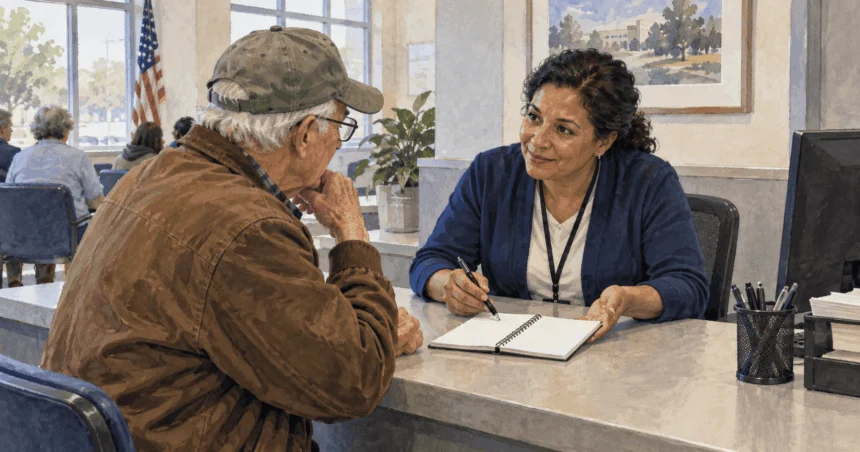
Walk-in service at SSA offices is no longer standard practice. Most in-person assistance requires advance appointments scheduled through the national phone number.
Scheduling Appointments
Call 1-800-772-1213 to schedule in-person, phone, or video appointments. Local offices typically don’t schedule their own appointments directly. Plan ahead – appointments may be scheduled days or weeks in advance.
Finding Your Local Office
Use the SSA Office Locator to find your local field office by entering your ZIP code. This tool provides the correct physical address, mailing address, fax number, and specific hours of operation.
Most field offices are open 9:00 AM to 4:00 PM, Monday through Friday, though hours can vary by location. Always verify specific hours using the locator before visiting.
Services Requiring In-Person Visits
While most services can be completed online, in-person visits remain necessary for situations requiring face-to-face interaction or original document submission, including:
- Applying for an original Social Security Number
- Resolving complex benefit discrepancies
- Submitting original identity documents that can’t be mailed
Required Documentation
The SSA requires original documents or copies certified by the issuing agency – standard photocopies or notarized copies aren’t acceptable for most purposes. All identification documents must be current and unexpired.
| Visit Purpose | Primary Documents Required | Additional Documents Needed |
|---|---|---|
| Replacement Social Security Card | Current proof of identity (driver’s license, state ID, or passport); proof of U.S. citizenship (birth certificate or passport); for noncitizens, current immigration documents | Secondary ID if primary unavailable; legal name change documents if applicable |
| Retirement Benefits Application | Original birth certificate; proof of citizenship/lawful status if not U.S. born; Social Security number | W-2 or tax return from last year; military service papers if before 1968; bank account information; spouse and children information |
| Disability Benefits Application | All retirement benefit documents PLUS detailed medical records with provider contact information; complete medication list | 15-year work history; Adult Disability Report; for SSI, proof of income and resources |
Mail and Fax Communication
Mail contact is appropriate primarily for submitting completed forms or original documents when electronic upload isn’t available. Due to processing times, mail isn’t efficient for general questions or urgent assistance.
Finding Correct Addresses
Never send applications or personal documents to SSA headquarters in Baltimore. Use the SSA Office Locator to find the correct mailing address and fax number for your local office.
Some specific forms have unique mailing addresses printed on the form itself. For general, nonsensitive inquiries when other contact methods have failed, write to:
Social Security Administration
Office of Public Inquiries and Communications Support
1100 West High Rise
6401 Security Blvd.
Baltimore, MD 21235
Include your Social Security number in correspondence to this office.
Services for U.S. Citizens Living Abroad
The SSA doesn’t operate its own foreign offices except for a few domestic border locations serving parts of Canada, the British Virgin Islands, and Samoa. Instead, specially trained personnel in Federal Benefits Units (FBUs) within U.S. Embassies and Consulates provide Social Security services.
Finding Your Federal Benefits Unit
The SSA country-by-country contact list provides correct email addresses, phone numbers, mailing addresses, and operating procedures for your servicing FBU.
Contact methods and service hours vary significantly between FBUs. For example, the Paris FBU primarily handles appointments via email with limited phone hours, while the Manila FBU operates under different schedules and procedures. Check specific instructions for your country of residence.
Online Access from Overseas
The SSA now allows many individuals living abroad to create and use my Social Security accounts. Previously, a U.S. mailing address was required. Now, residents of many foreign countries can gain access by creating an ID.me credential.
During ID.me registration, look for an international users link that may read “I don’t live in the United States” to complete required identity verification. However, some online services like changing direct deposit information or addresses for non-U.S. citizens remain unavailable from foreign locations.
Direct U.S. Office Contact
For direct contact with the SSA’s Office of Earnings & International Operations in the United States, call 410-965-0160 between 9:00 AM and 4:00 PM Eastern Time. This isn’t a toll-free number – you’re responsible for international calling charges.
Digital-First Strategy Benefits
The SSA’s emphasis on online services reflects the operational challenges of serving tens of millions of beneficiaries and processing taxes from over 176 million workers. This digital-first approach offers several advantages:
24/7 Availability: Online services are accessible around the clock, unlike phone lines with limited hours or offices requiring appointments.
Immediate Processing: Many online transactions are processed instantly, providing immediate confirmation and reducing waiting periods.
Reduced Errors: Online systems validate information as you enter it, reducing common errors that delay processing.
Secure Document Handling: Electronic document upload eliminates risks associated with mailing sensitive information.
Personal Control: Online accounts allow you to manage your affairs independently without depending on staff availability or office hours.
Understanding Service Limitations
While the SSA provides comprehensive services, understanding limitations helps set appropriate expectations:
Volume Challenges: With nearly 69 million beneficiaries and 176 million workers paying into the system, the SSA faces enormous volume that can create delays in nondigital channels.
Security Requirements: Strict identity verification and document requirements protect against fraud but can slow certain processes.
Complex Cases: Some situations require human review and can’t be resolved through automated systems, necessitating longer processing times.
Resource Allocation: The agency prioritizes services based on operational efficiency and public need, with digital channels receiving the most resources and development.
The SSA’s structure reflects a balance between serving individual needs and managing system-wide operations efficiently. Understanding this balance helps you choose the most effective contact method for your specific situation and increases your chances of successful resolution.
By starting with online services and using other channels only when necessary, you’ll typically experience faster service and better outcomes. The my Social Security account serves as your primary tool for most interactions, with phone calls reserved for complex issues and in-person visits for situations requiring document verification or detailed consultation.