

- idco.dmdc.osd.mil4 links
- cac.mil3 links
- milconnect.dmdc.osd.mil2 links
Last updated 11 months ago. Our resources are updated regularly but please keep in mind that links, programs, policies, and contact information do change.
Your U.S. Department of Defense (DoD) identification card – whether a Common Access Card (CAC) or Uniformed Services Identification (USID) card – serves as proof of your identity and DoD affiliation. It grants access to military installations, TRICARE healthcare, commissaries, exchanges, and MWR facilities. Keeping this card current ensures uninterrupted access to these benefits.
When to Renew Your Military ID
Approaching Expiration Date
The most common renewal reason is an impending expiration date. ID cards may be renewed up to 90 days before they expire. Start the renewal process early within this window, as RAPIDS sites (Real-Time Automated Personnel Identification System) often experience high demand with appointments booked months in advance.
Legacy USID paper cards remain valid until their printed expiration date, but the DoD is transitioning everyone to the more secure Next Generation USID card.
Note that temporary COVID-19 extensions have largely expired. Cards that expired after July 31, 2021, were not granted extensions and must be renewed if past their expiration date.
Lost, Stolen, or Damaged Cards
If your CAC or USID card is lost, stolen, damaged, or compromised, take immediate action:
- Report the loss or theft IMMEDIATELY to your local security office or, if you’re a dependent, to your sponsor
- Visit a RAPIDS site in person for replacement
- Bring documentation confirming you reported the loss/theft (such as a formal counseling statement or security office documentation)
Changes in Status
Various life events and changes in your DoD affiliation require updating your DEERS information and often getting a new ID card:
Promotion: For CAC holders, all changes in rank trigger mandatory reissuance.
Retirement: Transitioning from Active Duty, Reserves, National Guard, or DoD civilian employment requires a new ID. Military retirees and eligible dependents receive a retiree USID card. This requires documentation like retirement orders or DD Form 214.
Important update for DoD civilian retirees: The DoD stopped issuing specific DoD Civilian Retiree ID cards as of February 17, 2023, with previously issued cards expiring by August 31, 2023. Civilian retirees now typically use a REAL ID Act-compliant driver’s license or ID card with their official retirement paperwork for installation access where permitted.
Dependency Changes: Events like marriage, divorce, birth or adoption of a child, or changes in dependent student status require timely DEERS updates, often necessitating new ID cards.
Key Age Milestones:
- Dependents now receive their initial USID card at age 14 (increased from 10)
- Dependent children who are full-time students may retain privileges between ages 21-23 with documentation from their school’s registrar verifying enrollment
- Military retirees and eligible dependents approaching age 65 must typically enroll in Medicare Parts A and B for TRICARE for Life eligibility
- Some eligible dependents and retirees may receive a USID card with an indefinite (“INDEF”) expiration date starting at age 65
Medical/Disability Status: Veterans with a 100% service-connected disability rating or who are 100% unemployable due to service-connected conditions become eligible for a USID card and associated privileges. This requires official VA documentation confirming the 100% rating.
Updating to Next Generation USID Card
The DoD is replacing older paper-based or laminated legacy USID cards with more secure plastic Next Generation USID cards. This transition began in July 2020 to enhance security and deter counterfeiting.
While legacy cards remain valid until their printed expiration date, starting in 2026, they will no longer be accepted for accessing benefits or DoD installations. Individuals with legacy cards marked “INDEF” (indefinite) are strongly encouraged to replace them before 2026. Issues have also been reported with “INDEF” cards being misread by TSA equipment at airports.
Know Your Card: CAC vs. Next Generation USID
Common Access Card (CAC)
The CAC is a “smart” ID card embedded with integrated circuits and data storage. It’s issued to:
- Active-duty military personnel
- Selected Reserve and National Guard members
- DoD civilian employees
- Eligible DoD contractor personnel
- U.S. Coast Guard civilian employees and eligible contractors
The CAC enables physical access to military installations and buildings, logical access to DoD computer networks via card readers, and functions as identification under the Geneva Conventions.
Next Generation Uniformed Services ID (USID)
The Next Generation USID is issued to DoD-affiliated individuals not eligible for a CAC but entitled to benefits and privileges:
- Military family members (dependents)
- Military retirees
- Reserve and Guard members not on active duty
- 100% Disabled American Veterans (DAV)
- Other eligible individuals (former members, Medal of Honor recipients, eligible surviving dependents)
The USID serves as proof of identity and DoD affiliation, facilitating access to benefits and entry to DoD installations. It replaces several older versions of dependent and retiree IDs.
Key Differences Affecting Renewal
Understanding the distinction between CAC and USID is vital for renewal:
- Online Renewal: A pilot program allows eligible USID cardholders in the U.S. to renew online and receive cards by mail. This option is NOT available for CACs – all CAC renewals require an in-person visit.
- Issuance Process: Both cards are processed at RAPIDS sites, but eligibility verification steps and required documentation differ based on card type and applicant status.
| Feature | Common Access Card (CAC) | Next Generation Uniformed Services ID (USID) |
|---|---|---|
| Primary Users | Active Duty, Selected Reserve, DoD Civilians, Eligible Contractors | Dependents, Retirees, Reservists (not active), 100% DAVs, Other Eligible Individuals |
| Renewal Process | In-person at RAPIDS site ONLY | In-person at RAPIDS site OR Online (for eligible renewals via pilot program, US addresses only) |
| Key Purpose | Physical & Logical Access (Installations, Networks), Geneva Conventions ID | Proof of ID/Affiliation, Access to Benefits (MWR, Commissary, Exchange, TRICARE), Base Access |
Step-by-Step Guide to Renewing Your ID Card In Person
Step 1: Verify Your DEERS Information
Before attempting renewal, ensure your Defense Enrollment Eligibility Reporting System (DEERS) information is accurate and current. DEERS is the DoD’s central database determining eligibility for ID cards and benefits like TRICARE.
Mistakes or outdated information (address, marital status, dependent information) can cause significant problems, including delays in ID card issuance or TRICARE issues. You are responsible for keeping your DEERS record current, especially after major life events.
Check and update your DEERS information online through the MilConnect portal (requires CAC or DS Logon). Alternatively, contact the DMDC/DEERS Support Office at 1-800-538-9552 (Monday-Friday, 8:00 am – 8:00 pm Eastern Time, excluding federal holidays).
Some updates, particularly those involving eligibility status changes, may require an in-person RAPIDS visit with supporting documentation.
Step 2: Find Your Nearest RAPIDS ID Card Office
Once your DEERS information is confirmed, locate a convenient RAPIDS site. These are the only authorized locations for DoD ID card issuance and renewal. They might operate under various names like Pass and ID office, Military Personnel Flight, DEERS office, Personnel Support Detachment, ID Card Section, S1, or One Stop.
Use the official RAPIDS Site Locator tool on the ID Card Office Online (IDCO) portal. Avoid unofficial sources, as hours and services can change.
Using the locator tool:
- Search by location (address, city/state, or zip code)
- Filter results by distance, appointment availability, or walk-in options
- Click “Select” or “More Info” for details about a location
- Read the “More Site Info” section carefully for site-specific instructions
Step 3: Schedule Your Appointment Online
Most RAPIDS sites require appointments. While some offer limited walk-in hours, scheduling an appointment is recommended to avoid long wait times.
Use the ID Card Office Online portal to schedule appointments:
- After locating your site, click “Schedule Appointment” if available
- Select an available date and time slot
- Enter your personal information and appointment reason
- Confirm details and save your confirmation number
- Check your email for a confirmation from RAPIDS_APPOINTMENT_NO_REPLY@mail.mil
Appointment slots fill quickly. Check frequently for cancellations or new openings, or consider other nearby RAPIDS sites if needed.
Step 4: Gather Your Required Documents
Arriving without correct documentation is a common reason for being turned away. Gather all necessary paperwork before your appointment. All documents must be original or certified copies and unexpired.
Universally Required for Adults (18+):
Two (2) valid, unexpired forms of identification:
- One must be a state or federal government-issued photo ID (driver’s license, passport, current DoD ID card)
- The second can be another primary ID or from the secondary list (Social Security card, birth certificate, voter’s registration)
- An expired CAC or USID can serve as the secondary ID only for reissuance
Refer to the official DoD List of Acceptable Identity Documents for a comprehensive list.
You’ll also need documents proving your eligibility for the ID card, especially for initial enrollment or status changes. See the detailed documentation table below for requirements by status.
Step 5: Attend Your RAPIDS Appointment
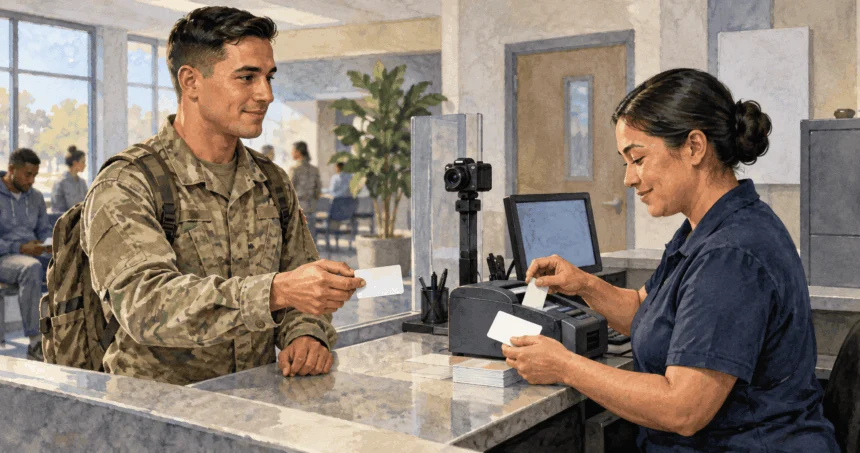
Arrive on time with all required original documents. During the appointment:
- The Verifying Official will check your identity documents and verify your eligibility
- Your supporting documents will be reviewed and potentially scanned
- A new photograph will be taken
- For CAC issuance, fingerprint scans are typically captured
- Once verification is complete, your new ID card will be printed
- For CACs, you may need to set or reset PINs for digital certificates
Sponsor Presence Requirements: Sponsors typically need to be present when dependents receive initial or renewal ID cards. Alternatives if the sponsor cannot attend:
- The dependent can bring a DD Form 1172-2 that has been:
- Digitally signed by the sponsor via the IDCO portal, or
- Signed by the sponsor in wet ink and notarized
- The dependent can bring a valid Power of Attorney document granting authority for DEERS/ID card business
Online Renewal Option for USID Cards
The DoD offers a pilot program allowing eligible USID cardholders to renew entirely online and receive new cards by mail. This is NOT available for CACs and has strict eligibility requirements.
Eligibility Requirements
Both the sponsor and cardholder must meet specific criteria:
Card Type: Must be for an active, unexpired Next Generation USID card. Cannot be used for:
- Initial USID card issuance
- Replacing lost, stolen, or damaged cards
- Renewing expired USID cards
- Renewing CACs
Sponsor Requirements:
- Must have a valid CAC or DS Logon credential
- Personnel status in DEERS must extend at least 30 days into the future
- Must have an authorized email address in DEERS
Cardholder Requirements:
- Must have a photograph in DEERS taken within the last 12 years
- Must have an authorized email address in DEERS
- Must have a valid U.S. mailing address (continental U.S., Alaska, or Hawaii) listed in DEERS
- P.O. Boxes are not acceptable
DEERS Verification: The sponsor must have verified the dependent’s record within the past 90 days.
How to Request Online Renewal
If all eligibility criteria are met:
- The sponsor logs into the IDCO portal using CAC or DS Logon
- Navigates to the “Family ID Cards” section
- Selects “Renew Family Member ID Card” for the eligible dependent
- Completes and submits the renewal request
Receiving and Activating Your Card
- If approved, the new USID card will be printed and mailed to the address in DEERS
- Both sponsor and cardholder will receive email notification when shipped
- The sponsor must log back into IDCO to acknowledge receipt, which activates the new card and terminates the old one
- The prior USID card should be properly disposed of or returned to the government
If the request fails, you’ll receive an email explaining why and instructions for next steps.
Essential Documentation Requirements
Two Valid Forms of ID (Universal Requirement)
All individuals 18 and older must present two unexpired identity documents in original form:
Primary ID (at least one required):
- U.S. Passport or Passport Card
- Driver’s license or state-issued ID card
- Current DoD ID card
- Permanent Resident Card
- Foreign passport
- Employment Authorization Document with photo
- Personal Identity Verification Card
Secondary ID (one required):
- Another primary ID (different type)
- U.S. Social Security Card
- Original or certified birth certificate
- Voter’s registration card
- U.S. Coast Guard Merchant Mariner Card
- Certificate of U.S. Citizenship or Naturalization
- Foreign ID with photograph
- Foreign Birth Certificate (requires certified English translation)
Special Notes:
- An expired CAC or USID may be used as secondary ID only when renewing the same type of card
- If names differ between documents, provide legal evidence of name change
Documentation by Status
Beyond identity documents, you must provide documentation proving your eligibility, especially for initial enrollment or status changes.
| Status / Situation | Required Identity Docs (Age 18+) | Specific Eligibility Documents | Sponsor Presence / Alternatives |
|---|---|---|---|
| Sponsor (Renewal/Update) | 2 Forms (1 Photo ID) | Typically none if DEERS is current. May need orders or retirement docs if status changed. | N/A |
| Dependent Spouse (Initial/Renewal) | 2 Forms (1 Photo ID) | Original Marriage Certificate. If age 65+, proof of Medicare Part B enrollment. | Sponsor present OR Signed DD1172-2 OR Valid POA |
| Dependent Child (<18, Initial) | N/A (Sponsor provides docs) | Original Birth Certificate, Certificate of Live Birth, or Consular Report of Birth Abroad. Social Security Card if available. For Stepchild: add Marriage Cert. For Adopted: add Adoption Decree. | Sponsor present OR Signed DD1172-2 OR Valid POA |
| Dependent Child (18-20, Renewal) | 2 Forms (1 Photo ID) | Current DoD ID card serves as one ID form if renewing. May need eligibility docs if status changed. | Sponsor present OR Signed DD1172-2 OR Valid POA |
| Dependent Child (Student 21-23) | 2 Forms (1 Photo ID) | Letter from School Registrar verifying full-time enrollment, course of study towards associate degree or higher, and anticipated graduation date. | Sponsor present OR Signed DD1172-2 OR Valid POA |
| Dependent Child (Incapacitated >21) | 2 Forms (1 Photo ID) | Original Birth Cert/Adoption Decree AND Medical Sufficiency Statement AND Financial Dependency Determination. If age 65+, proof of Medicare Part B enrollment. | Sponsor present OR Signed DD1172-2 OR Valid POA |
| Military Retiree (<65, Initial/Renewal) | 2 Forms (1 Photo ID) | DD Form 214 (Member-4 copy) OR Retirement Orders. Current DoD ID if renewing. | N/A |
| Military Retiree (>=65, Renewal) | 2 Forms (1 Photo ID) | Proof of enrollment in Medicare Part A & B (Medicare Card). Current DoD ID. | N/A |
| 100% Disabled American Veteran | 2 Forms (1 Photo ID) | DD Form 214 (Member-4 copy) AND Official VA Rating Determination Letter stating 100% service-connected disability or unemployability. Commissary Letter. | N/A |
| Parent / Parent-in-Law | 2 Forms (1 Photo ID) | DFAS Approved Dependency Determination Packet. Sponsor’s Birth Cert (Parent) OR Spouse’s Birth Cert & Marriage Cert (Parent-in-Law). Parent’s Photo ID & SSN Card. | Sponsor typically needed for dependency determination and possibly ID issuance |
| Lost / Stolen Card Replacement | 2 Forms (1 Photo ID) | Documentation confirming report of loss/theft (Counseling Statement for CAC, memo from security office) | Dependent may need Sponsor presence or POA/DD1172-2 |
| Name Change | 2 Forms (1 Photo ID) | Legal document verifying name change (Marriage Cert, Divorce Decree, Court Order) | Standard sponsor presence rules for dependents |
Special Situations:
- Lost/Stolen Cards: Requires documentation confirming the report
- Name Changes: Bring original legal document authorizing the change
- Foreign Documents: Must be originals or certified copies with certified English translations
Tips for a Smooth Renewal Experience
- Plan Ahead: Start within the 90-day renewal window. Check appointment availability early.
- Check DEERS First: Verify all information is accurate before scheduling anything.
- Use Official Websites: Rely on the IDCO portal for appointments and the DoD ID Card Reference Center for policies.
- Bring Original Documents: Ensure all required documents are original/certified and unexpired.
- Understand Sponsor Requirements: Clarify whether your sponsor needs to accompany you.
- Call Ahead: If traveling far or with a complex situation, confirm details with the RAPIDS site.
- Prepare for the Photo: A new photograph will likely be taken during your appointment.
Key Online Resources
- ID Card Office Online (IDCO): The central hub for finding RAPIDS sites, scheduling appointments, and initiating online renewals for eligible USID cards.
- DoD ID Card Reference Center: Official source for comprehensive information about CAC and USID cards, including policies, procedures, FAQs, and document lists.
- MilConnect: DoD portal for managing DEERS information, checking benefits eligibility, and updating contact information. Requires CAC or DS Logon.
- List of Acceptable Identity Documents (PDF): Definitive list of primary and secondary identity documents required for ID card transactions.
- DMDC/DEERS Support Office (DSO) Phone: 1-800-538-9552 (Monday – Friday, 8:00 am – 8:00 pm Eastern Time, excluding federal holidays). For questions about DEERS data, eligibility, and assistance with updates.